New In development — early access is open
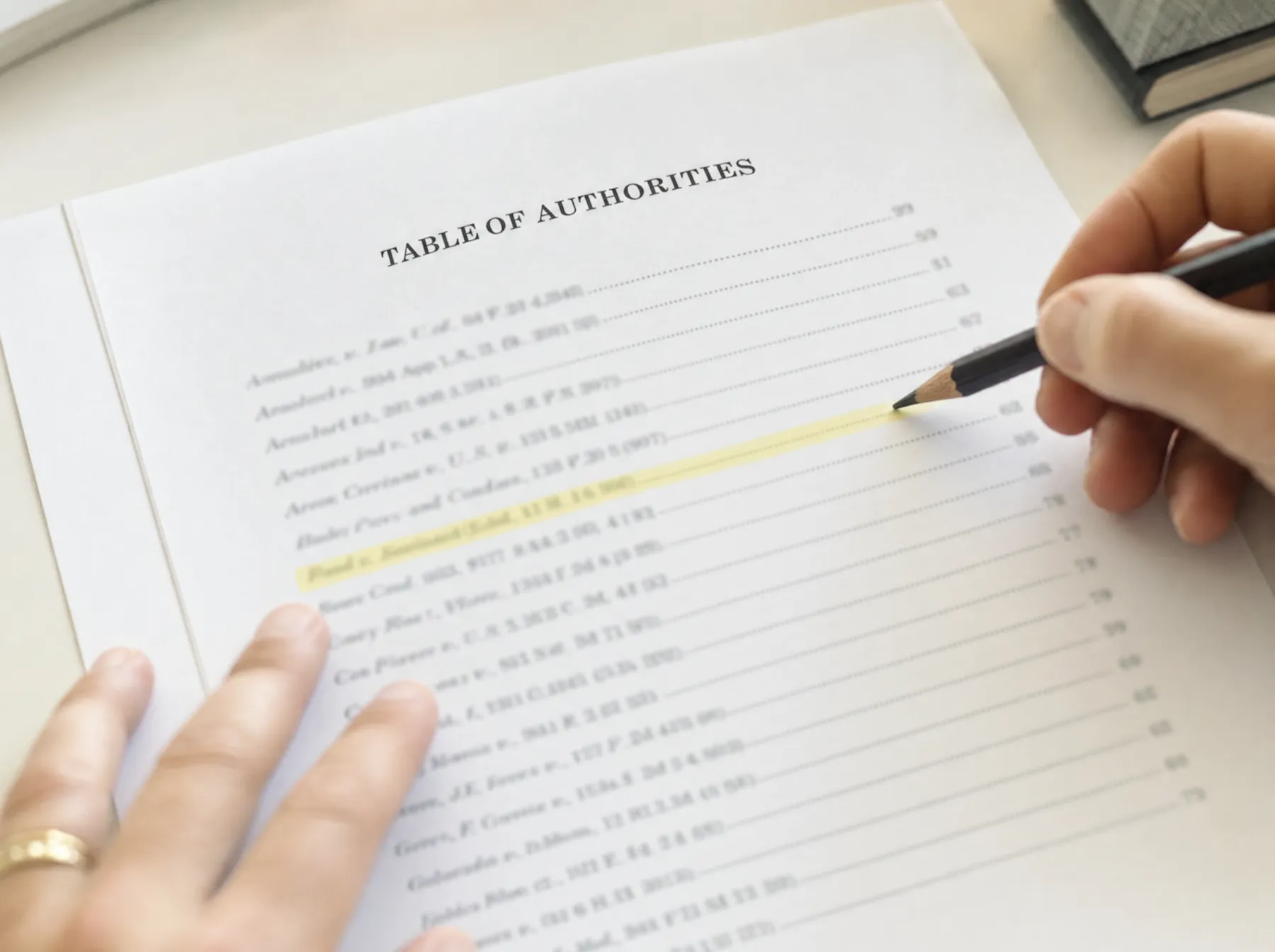
Your Table of Authorities, from the final PDF.
Drop in the brief you're about to file. BriefAuthority is built to find the cases, statutes and rules with their printed pages, let you check short forms and Id., and hand back a formatted .docx — on your Mac, in your browser, without uploading a word.
BriefAuthority is an independent, pre-launch browser tool that builds Tables of Authorities for U.S. legal briefs from the final PDF. It is not Best Authority and is not affiliated with Litera.
The Court held in Rehaif v. United States, 139 S. Ct. 2191 (2019), that the government must prove knowledge of status under 18 U.S.C. § 922(g). Plain-error review under Fed. R. Crim. P. 52(b) asks, as in United States v. Olano, 507 U.S. 725 (1993), whether the error affected substantial rights. Id. at 734.
4Table of Authorities
Illustration · authorities from a public Supreme Court brief
Question presented
Can you build a correct Table of Authorities on a Mac, from the PDF, without uploading a confidential brief to anyone?
Yes. That is the entire product. BriefAuthority is being built to read the final PDF page by page in your browser, detect the authorities, show you every page reference to confirm, and export the table.
…under Fed. R. Crim. P. 52(b). As this Court explained in United States v. Olano, 507 U.S. 725, 732 (1993), the defendant must show an error that is plain and that affects substantial rights. Id. at 734.
The government concedes that, after Rehaif, knowledge of status is an element of 18 U.S.C. § 922(g)…
4
Review authorities
71 found · 3 short forms linked · 1 to review
Cases
Greer v. United States, 593 U.S. 503 (2021)
Rehaif v. United States, 139 S. Ct. 2191 (2019)
“Rehaif” on p. 11 linked
United States v. Olano, 507 U.S. 725 (1993)
Id. at 734 → p. 4
Johnson v. United States, 520 U.S. 461 (1997)
p. 34 — quotation?
Puckett v. United States, 556 U.S. 129 (2009)
Statutes
18 U.S.C. § 922(g)
18 U.S.C. § 924(a)(2)
Rules
Fed. R. Crim. P. 52(b)

Built for the last hour before filing — when the table is the only thing left.
Statement of the case
The TOA is the last thing you build, on the day it's due, with the worst tools.
(a)Word for Mac
Microsoft's own support page: Tables of Authorities aren't supported in Word for Mac or Word for the web.
Pages and Google Docs have no TOA at all.
(b)The workarounds
Borrow a Windows PC, run Parallels, pay per document for a Windows add-in, or search every citation with ⌘F and type the page numbers by hand.
Each one costs the hour you don't have.(c)The shortcut
Paste the brief into a chatbot — and send confidential work product to a third party, with no guarantee the pages match what you file.
Pages from a paste are not pages from the PDF.Argument
Four reasons, each with a figure. Read them the way a clerk reads a brief: the heading is the argument.
I. It reads the pages you will actually file.
BriefAuthority starts from the final PDF, not from hidden Word fields. Page references come from the printed pages — you set the front-matter offset once (i, ii, iii… then 1) and every entry follows.
pdf p. 12 → printed p. 1pdf p. 3 → printed p. ii
II. You review every entry. It never guesses silently.
A review screen lists each authority with its pages. Merge a short form into its full cite, attach an Id. or supra to its source, move an entry to Rules, or exclude a quotation — before anything is exported.
III. The brief never leaves your computer.
Everything runs in the browser tab: PDF.js reads the file, a JavaScript citation parser finds the authorities, and the .docx is written on your machine. Nothing is uploaded — check the network panel, or disconnect after the page loads.
IV. It exports a Table of Authorities that looks like one.
Category headings, alphabetized entries, dot leaders, page references, and passim only where your court still allows it — as a .docx you paste into the brief, in the same serif as the rest of your filing.
Table of Authorities
ii
The record
129/131
cases found, against the briefs' own Tables of Authorities.
In an internal pre-launch test, we ran BriefAuthority's citation engine on two U.S. Supreme Court merits briefs (Greer v. United States, No. 19-8709, and Bouarfa v. Mayorkas, No. 23-583) and compared the result with the Tables of Authorities their counsel filed. It found 129 of the 131 cases. The page lists matched exactly for 77–84% of cases before review; most misses were short references by case name alone — which is exactly what the review screen is for.
Read the method and limitsInternal pre-launch test
Cases found vs. the Table of Authorities filed by counsel
| Brief | Found | Exact pages |
|---|---|---|
| Greer v. United StatesNo. 19-8709 | 70/70 | |
| Bouarfa v. MayorkasNo. 23-583 | 59/61 | |
| Total | 129/131 | |
Exact pages: page lists identical before review. Cases only; statutes and rules not yet benchmarked.
Index of situations
Find your situation.
- 1You're on a Mac and Word won't do itRead
- 2Word for Mac hides or lacks the TOA featureRead
- 3All you have is the final PDFRead
- 4You're the paralegal and it's due todayRead
- 5You're filing your own appealRead
- 6You drafted in Google Docs or PagesRead
- 7You can't upload the brief anywhereRead
- 8You're tempted to paste it into ChatGPTRead
- 9You don't have a Best Authority licenseRead
- 10You need the rules: order, Id., supra, passimRead
Candor to the reader
What BriefAuthority does not do.
It is not a citator.
It won't tell you a case was overruled or a pin cite is wrong. Use Westlaw, Lexis or your citator for that.
It doesn't edit your brief.
It reads the PDF and produces the table. Your brief file is never changed.
You may not need it.
If your firm runs Windows and already pays for Best Authority, keep using it. BriefAuthority is for everyone else.
Formatting and indexing only — verify every citation.
Reply
Short answers, on the record.
1.Can I make a table of authorities on a Mac?
Microsoft's support page says Tables of Authorities aren't supported in Word for Mac or Word for the web; some Mac builds still hide a legacy dialog. BriefAuthority runs in the browser on a Mac and builds the TOA from your final PDF instead of from marked Word fields.
2.Does BriefAuthority upload my brief?
It is designed not to. The PDF is read and indexed locally in your browser, with no upload endpoint for the brief. At launch you can confirm it in your browser's network panel or by going offline after the page loads.
3.Where do the page numbers come from?
From the pages of the final PDF you will file, including roman-numeral front matter. You set the offset once; every page reference is shown for review before export.
4.Does it check whether my citations are correct or good law?
No. BriefAuthority is a formatting and indexing tool, not a citator. It lists the authorities that are in your brief; it does not validate them. Verify every citation and follow your court's rules.
5.What does it export?
A .docx Table of Authorities with category headings (cases, statutes, rules, constitutional provisions, other authorities), dot leaders, page references, page ranges, and passim only where your court allows it (the Supreme Court's 2026 Rule 34.2 says a table should not use passim), ready to paste into the brief.
6.Is it available now, and what will it cost?
BriefAuthority is in development. Early-access sign-ups get the launch price: $39 one-time, or $9 for a single brief. No Word add-in, no subscription, no payment now.

Conclusion
For the foregoing reasons, BriefAuthority respectfully requests your email address.
Early access gets the launch price — $39 one-time, or $9 for a single brief — and one email when it's ready.
Respectfully submitted,
/s/ BriefAuthority
for the Petitioner